Cut list software: how to choose?
Which cut list optimizer should you choose? Honest comparison: CutList Optimizer vs CutOptima. Decision guide for professional woodworkers.
Cut list software: how to choose?
Looking for a tool to optimize your cutting plans and reduce waste? The market isn’t as crowded as you’d think. Here’s an honest overview of what’s actually available.
When you start looking for cut list optimization software, you expect to find a dozen well-built tools tailored for professional woodworkers and cabinetmakers. Reality is a bit different. The market is surprisingly small, with plenty of cobbled-together solutions, a few generic tools, and very few panel cutting optimizers truly built for the workshop.
Here’s an honest overview to help you choose.
What we actually need from cut list software
Before comparing, let’s set the criteria. A good cut list optimizer should:
- Be quick to learn: you’re a woodworker, not a developer. The interface must be intuitive, no training required.
- Handle grain direction: essential for solid wood and certain panels.
- Produce a printable visual plan: something you can lay on the workbench and follow at the saw.
- Work without depending on other software: no plugins, no mandatory 3D model.
- Be available in your language: seems obvious, but it’s not always the case.
These are the criteria that truly separate the options.
The rest of the market: too complex or too limited
The best-known plugin in the woodworking community is OpenCutList, a SketchUp extension that’s quite well made. Except there’s a blocker: it’s desktop-only. It doesn’t work on SketchUp’s web version, which is now the most widely used. Result: a good portion of craftspeople modeling in SketchUp simply can’t access it.
You’ll also find oversized design tools, generic wood/metal/glass software, and poorly maintained open-source scripts.
And then there’s a new category growing fast: tools generated entirely by AI. The interface is often polished, but the user experience lacks human logic. You can tell that the real-world constraints of a workshop didn’t really guide the design. The result: tools that work in theory but quickly feel robotic and unintuitive once you go beyond simple cases.
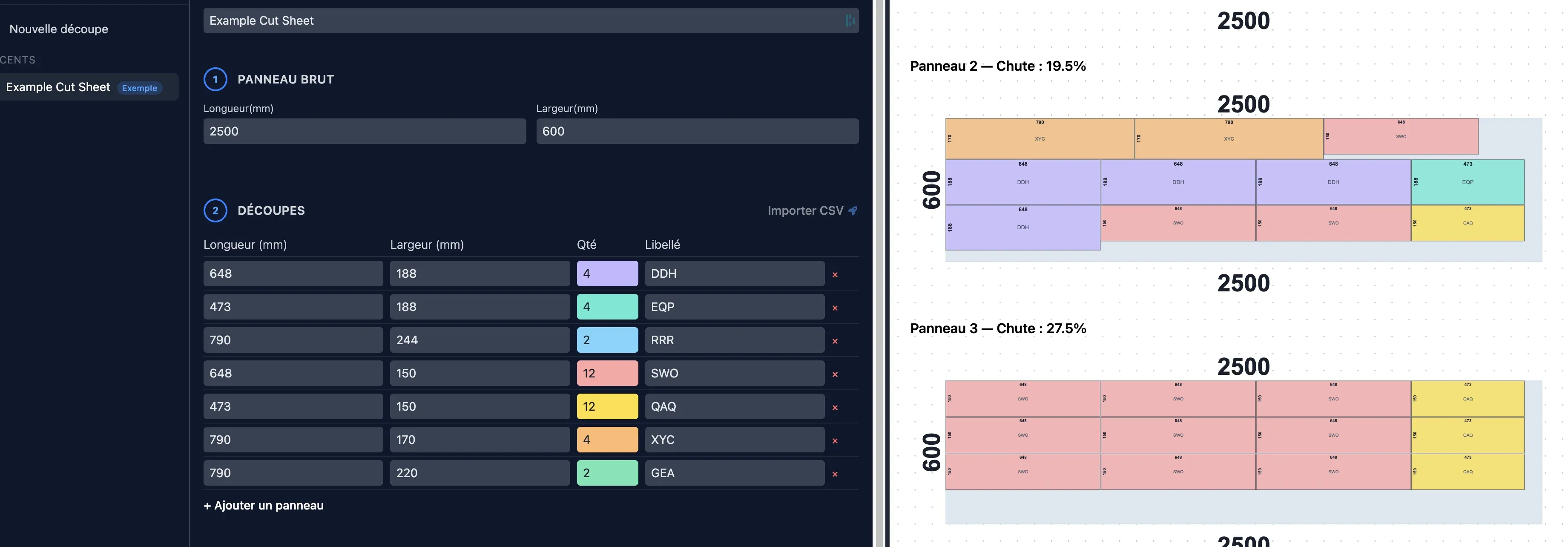
CutOptima is the opposite: a tool designed by pros, for pros. Trade constraints are built in from the start, not bolted on as an afterthought.
The only real competitor: CutList Optimizer
CutList Optimizer is a web and mobile app dedicated to panel cutting optimization. It generates optimized cutting plans by nesting parts on available panels, with grain direction management, edge banding, and PDF export. An Android app exists, letting you use it directly from the workshop with a tablet or phone.
It’s the best-known tool in the woodworking community, and for good reason: it gets the job done. But let’s be honest about the user experience.
The interface lacks fluidity. You can tell the tool was designed by developers, not woodworkers. Navigation logic isn’t always intuitive, some settings require a few tries to figure out, and the results can be hard to interpret for someone who isn’t used to it. It works, but it requires an adjustment period that many craftspeople don’t want to invest.
Side-by-side comparison
| Criteria | CutOptima | CutList Optimizer | Others |
|---|---|---|---|
| No software prerequisites | ✅ | ✅ | ❌ |
| Interface in your language | ✅ | ⚠️ Partial | ⚠️ Partial |
| Automatic optimization | ✅ | ✅ | ⚠️ Depends |
| Printable workshop plan | ✅ | ✅ | ⚠️ Depends |
| Mobile app | ❌ | ✅ | ⚠️ Depends |
| Photo import for cuts | ✅ | ❌ | ❌ |
| Manual part repositioning | ✅ | ❌ | ❌ |
| Built for professional craftspeople | ✅ | ⚠️ General public | ❌ |
| Unlimited access | ⚠️ Freemium | ⚠️ Freemium | ⚠️ Depends |
Which cut list software should you actually choose?
It all depends on your situation. If you use SketchUp desktop, OpenCutList remains a free and powerful option. If you’re looking for a more standalone tool, the choice quickly narrows to two serious options.
CutList Optimizer works if you need a mobile app and the language barrier doesn’t bother you.
CutOptima is for you if you want a tool designed for pros, with advanced features like photo import and manual part repositioning on the plan. No friction, no training, with a printable cutting plan in minutes.
Choose the one that fits your way of working. Not the one that asks you to change your way of working for it.
Summary
Still hesitating? Here are the questions to ask yourself:
- Do you model in SketchUp desktop? Try OpenCutList first, it’s free.
- Do you need a mobile app? CutList Optimizer has the edge.
- Do you want a pro-focused tool with photo import? CutOptima is built for that.
- Do you have complex projects and want to manually adjust the plan? Only CutOptima allows it.
And if you want to understand how to reduce your waste before choosing a tool, read our practical guide on reducing wood waste in the workshop.
Want to test CutOptima on a real project? It’s free to try at cutoptima.com. Enter your parts, get your cutting plan, start cutting.
Related articles
SketchUp for woodworking: the right tool for your workshop?
SketchUp for woodworking: strengths, real limitations and practical setup. An honest guide for woodworkers and cabinetmakers.
Best 3D modeling software: complete comparison
Comparison of the best 3D modeling software: Tinkercad, Blender, Fusion 360, SketchUp, Rhino. Pricing, strengths and limitations to help you choose.